From an address to a board-ready proposal.
Six steps, zero truck rolls — fed by measured aerial data, irradiance physics, and a transparent financial engine.
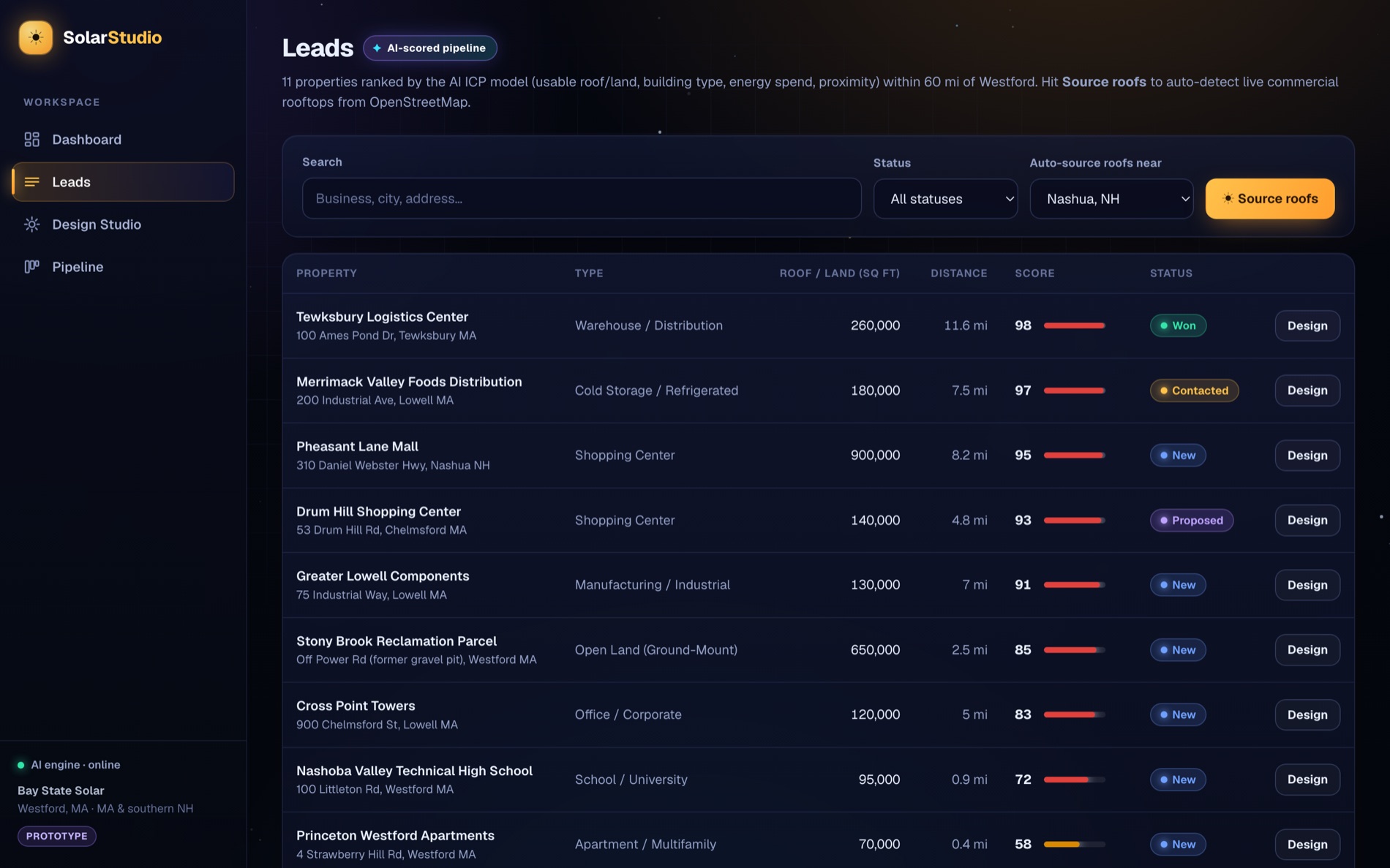
Source & score the best roofs
The AI Lead Engine ranks every property by usable roof/land area, building type, energy spend, and proximity. One click pulls live commercial rooftops from OpenStreetMap and scores them against your ICP.
Open the Design Studio on any address
Geocode an address and fly to it on USGS or Esri aerial imagery. The studio is built for commercial: multiple roof planes, flat-roof tilt, and ground-mount.
Pull measured data — or trace it
Hit the Google Solar API to get measured roof segments, pitch, azimuth, and shading. No coverage? Trace the usable roof yourself — the keyless PVWatts-style model produces the same shape of estimate.
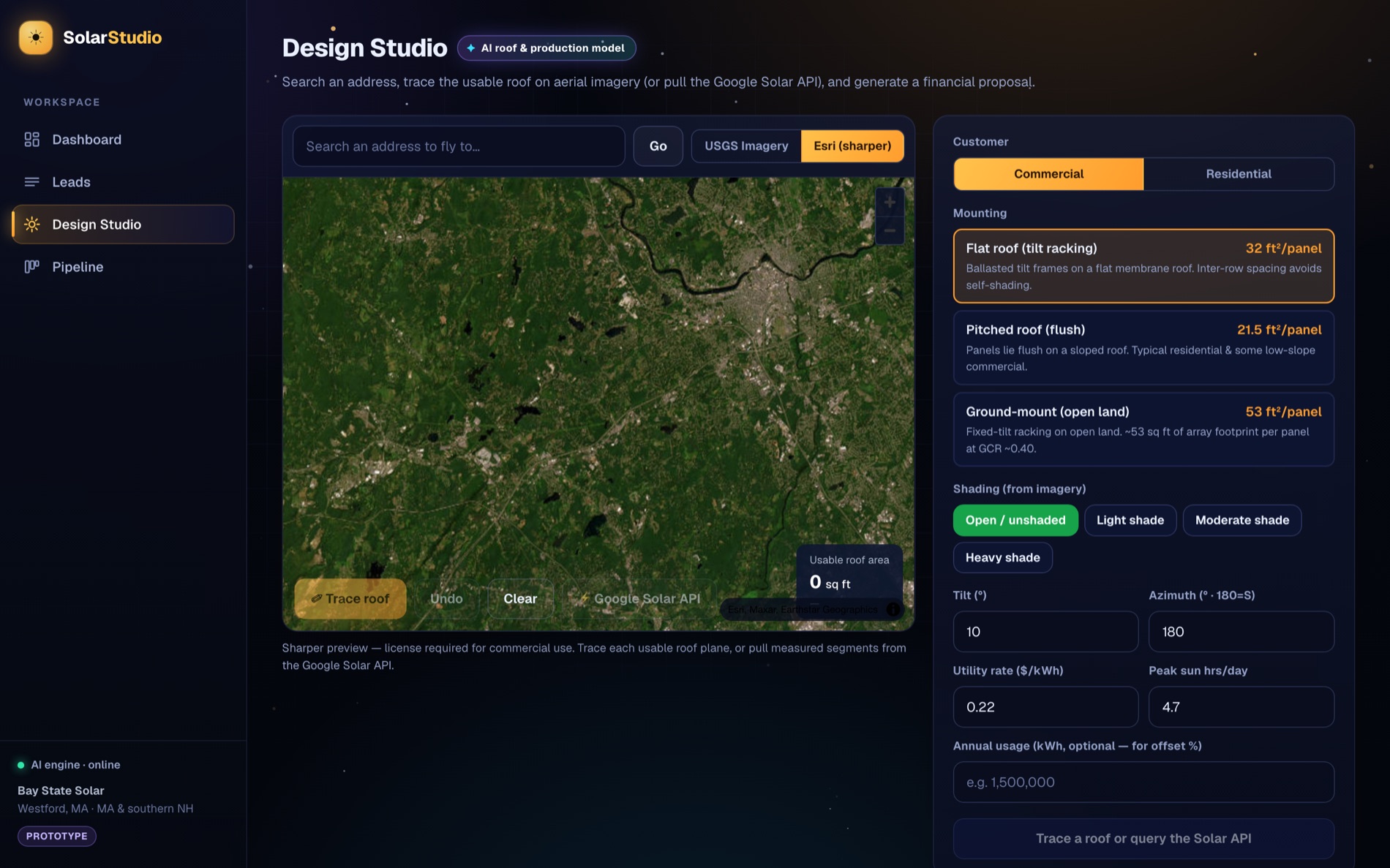
Dial in mounting, shading & rate
Pick the mount type, shading level, tilt/azimuth, utility rate, and (optionally) annual usage for an offset %. Sensible, region-aware defaults are pre-filled.
Generate the itemized proposal
Production, year-1 savings, the 30% federal ITC, net cost, simple payback, 25-yr ROI, and CO₂ — every line item shown with its basis, live-date accurate on incentives.
Close in the built-in CRM
Save the proposal to the lead, move it through the pipeline, and fire off an AI-drafted, CAN-SPAM-compliant outreach email to the decision-maker.
Try the whole flow.
Self-seeds with real properties in the Massachusetts service area — no setup required.